Compare commits
No commits in common. "a8ee1a74152f76912d60d9bd658c3945e75c6d54" and "57e077c81bd7de0e340ffc11d9e4e3df876e9cff" have entirely different histories.
a8ee1a7415
...
57e077c81b
8 changed files with 44 additions and 97 deletions
13
NEWS.md
13
NEWS.md
|
|
@ -1,16 +1,7 @@
|
||||||
# risotto (development version)
|
# risotto (development version)
|
||||||
|
|
||||||
# risotto 0.4.0
|
* Fix overflow of code blocks with line numbers (#41)
|
||||||
|
* Add descriptions to sidebar of list pages, where defined in the frontmatter of `_index.md` (#55)
|
||||||
* Added descriptions to sidebar of list pages, where defined in the frontmatter of `_index.md` (#55)
|
|
||||||
* Made sidebar sticky, avoiding overflow for long tables of contents (#51)
|
|
||||||
* Added convenience classes for colours, e.g. `.base00` and `.bg-base00`.
|
|
||||||
* Fixed overflow of code blocks with line numbers (#41)
|
|
||||||
* Fixed invalid HTML in page header (#64)
|
|
||||||
* Updated FontAwesome to 6.5.1 (#63)
|
|
||||||
* Please note that future versions will probably not include FontAwesome by default
|
|
||||||
* Updated Academicons to 1.9.4 (#63)
|
|
||||||
* Please note that future versions will probably not include Academicons by default
|
|
||||||
|
|
||||||
# risotto 0.3.0
|
# risotto 0.3.0
|
||||||
|
|
||||||
|
|
|
||||||
74
README.md
74
README.md
|
|
@ -10,25 +10,19 @@ risotto is a minimalist, responsive [hugo](https://gohugo.io) theme inspired by
|
||||||
|
|
||||||
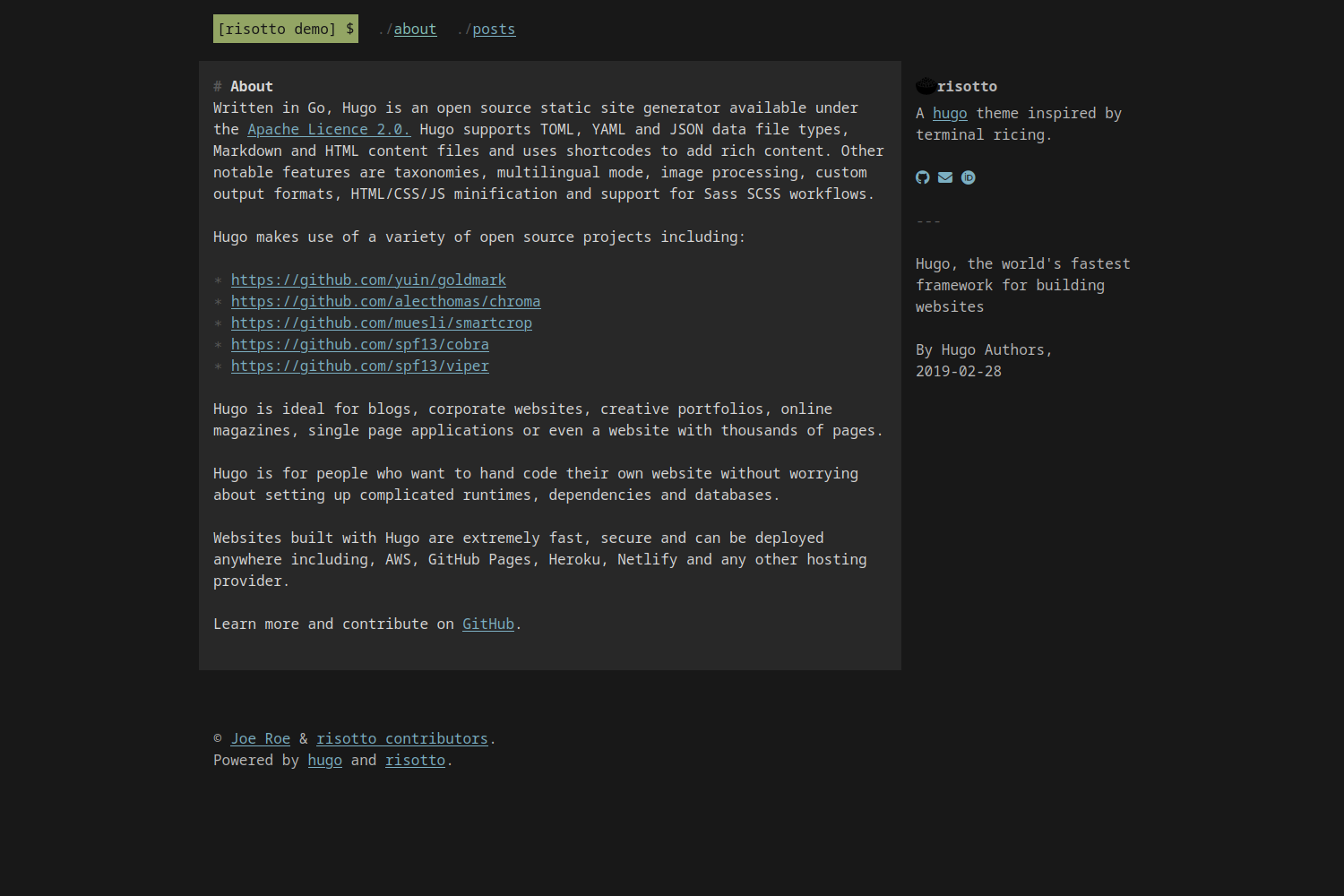
|

|
||||||
|
|
||||||
## Features
|
|
||||||
|
|
||||||
* Plain, semantic HTML with no Javascript
|
|
||||||
* Plain CSS – no frameworks, no preprocessors, just simple and easy-to-customise stylesheets
|
|
||||||
* Uses [CSS Grid](https://developer.mozilla.org/en-US/docs/Web/CSS/CSS_grid_layout) for native responsive behaviour without arbitrary breakpoints
|
|
||||||
* Comes with [16 built-in colour schemes](#colour-schemes) based on popular terminal themes plus the ability to use custom themes using the [base16 system](https://github.com/monicfenga/base16-styles)
|
|
||||||
|
|
||||||
## Install
|
## Install
|
||||||
|
|
||||||
The easiest way to install the theme is to [download the latest release](https://github.com/joeroe/risotto/releases/tag/release) and extract it to your project's `themes/` directory.
|
The easiest way to install the theme is to clone this repository into your site's `themes` directory:
|
||||||
You can also clone this repository into your site's `themes` directory and checkout the latest release:
|
|
||||||
|
|
||||||
```shell
|
```shell
|
||||||
git clone https://github.com/joeroe/risotto themes/risotto && cd themes/risotto
|
git clone https://github.com/joeroe/risotto themes/risotto
|
||||||
rit checkout $(git tag -l | grep '^v[0-9.]*$' | sort -V | tail -n 1)
|
|
||||||
```
|
```
|
||||||
|
|
||||||
Note that this will not work if your site is itself a git repository.
|
If your site is already a git repository, you can add the theme as a submodule instead:
|
||||||
In that case, you can add the theme as a [git submodule](https://git-scm.com/book/en/v2/Git-Tools-Submodules), but this is not recommended due to the difficulty of tracking a specific release.
|
|
||||||
|
```shell
|
||||||
|
git submodule add https://github.com/joeroe/risotto.git themes/risotto
|
||||||
|
```
|
||||||
|
|
||||||
## Update
|
## Update
|
||||||
|
|
||||||
|
|
@ -39,15 +33,19 @@ cd themes/risotto
|
||||||
git pull
|
git pull
|
||||||
```
|
```
|
||||||
|
|
||||||
Otherwise, simply [download the latest release](https://github.com/joeroe/risotto/releases/tag/release) and extract it to your project's `themes/` directory, replacing the old version.
|
Or, if you added it as a git submodule:
|
||||||
|
|
||||||
|
```shell
|
||||||
|
git submodule update --remote
|
||||||
|
```
|
||||||
|
|
||||||
## Configure
|
## Configure
|
||||||
|
|
||||||
To use the theme, add `theme = 'risotto'` to your site's `config.toml`, or `theme: risotto` to your `config.yaml`.
|
To use the theme, add `theme = 'risotto'` to your site's `config.toml`, or `theme: risotto` to your `config.yaml` respectively.
|
||||||
|
|
||||||
See `exampleSite/config.toml` for the theme-specific parameters you need to add to your site's `config.toml` or `config.yaml` to configure the theme.
|
See `exampleSite/config.toml` for the theme-specific parameters you need to add to your site's `config.toml` or `config.yaml` to configure the theme.
|
||||||
|
|
||||||
### Colour schemes
|
### Colour palettes
|
||||||
|
|
||||||
risotto uses the [base16 framework](https://github.com/chriskempson/base16) to define colour schemes that can be used with the `theme.palette` parameter.
|
risotto uses the [base16 framework](https://github.com/chriskempson/base16) to define colour schemes that can be used with the `theme.palette` parameter.
|
||||||
A selection of 16 palettes (10 dark, 6 light) are bundled with the theme: `apprentice`, `base16-dark`, `base16-light`, `dracula`, `gruvbox-dark`, `gruvbox-light`, `material`, `papercolor-dark`, `papercolor-light`, `solarized-dark`, `solarized-light`, `tender`, `tokyo-night-dark`, `tokyo-night-light`, `windows-95` and `windows-95-light`.
|
A selection of 16 palettes (10 dark, 6 light) are bundled with the theme: `apprentice`, `base16-dark`, `base16-light`, `dracula`, `gruvbox-dark`, `gruvbox-light`, `material`, `papercolor-dark`, `papercolor-light`, `solarized-dark`, `solarized-light`, `tender`, `tokyo-night-dark`, `tokyo-night-light`, `windows-95` and `windows-95-light`.
|
||||||
|
|
@ -59,36 +57,28 @@ The easiest way to use other base16 styles is to place .css file from https://gi
|
||||||
|
|
||||||
Or to define a wholly custom theme, you will need to define the following CSS variables for the following base16 colours (see [base16-dark.css](blob/main/static/css/palettes/base16-dark.css) for an example):
|
Or to define a wholly custom theme, you will need to define the following CSS variables for the following base16 colours (see [base16-dark.css](blob/main/static/css/palettes/base16-dark.css) for an example):
|
||||||
|
|
||||||
| Base | Default colour | Used for | Examples |
|
| Base | Default colour | Used for | Examples |
|
||||||
| ---- | ------------------------------------------ | ------------------- | ------------------------------------ |
|
| ---- | -------------- | -------- | -------- |
|
||||||
| 00 | <span class="base00">Dark</span> | Background | Page background |
|
| 00 | Dark | Background | Page background |
|
||||||
| 01 | <span class="base01">│</span> | Alt. background | Content background |
|
| 01 | │ | Alt. background | Content background |
|
||||||
| 02 | <span class="base02">│</span> | In-text backgrounds | `<pre>`, `<code>`, `<kbd>`, `<samp>` |
|
| 02 | │ | In-text backgrounds | `<pre>`, `<code>`, `<kbd>`, `<samp>` |
|
||||||
| 03 | <span class="base03">│</span> | Muted text | `:before` & `:marker` symbols |
|
| 03 | │ | Muted text | `:before` & `:marker` symbols |
|
||||||
| 04 | <span class="base04">│</span> | Alt. foreground | Aside text |
|
| 04 | │ | Alt. foreground | Aside text |
|
||||||
| 05 | <span class="base05">│</span> | Foreground | Content text |
|
| 05 | │ | Foreground | Content text |
|
||||||
| 06 | <span class="base06">│</span> | | |
|
| 06 | │ | | |
|
||||||
| 07 | <span class="base07">Light</span> | | |
|
| 07 | Light | | |
|
||||||
| 08 | <span class="base08">Red</span> | | |
|
| 08 | Red | | |
|
||||||
| 09 | <span class="base09">Orange</span> | | |
|
| 09 | Orange | | |
|
||||||
| 0A | <span class="base0A">Yellow</span> | Highlights | Selected text, `<mark>` |
|
| 0A | Yellow | Highlights | Selected text, `<mark>` |
|
||||||
| 0B | <span class="base0B">Green</span> | Primary accent | Logo |
|
| 0B | Green | Primary accent | Logo |
|
||||||
| 0C | <span class="base0C">Cyan</span> | Active links | `a:active`, `a:hover` |
|
| 0C | Cyan | Active links | `a:active`, `a:hover` |
|
||||||
| 0D | <span class="base0D">Blue</span> | Links | `a:link`, `a:visited` |
|
| 0D | Blue | Links | `a:link`, `a:visited` |
|
||||||
| 0E | <span class="base0E">Magenta</span> | | |
|
| 0E | Magenta | | |
|
||||||
| 0F | <span class="base0F">Brown</span> | | |
|
| 0F | Brown | | |
|
||||||
|
|
||||||
For light mode palettes, the sequence of 00–07 should be reversed (light to dark, not dark to light).
|
For light mode palettes, the sequence of 00–07 should be reversed (light to dark, not dark to light).
|
||||||
Note that not all colours are currently used in the theme.
|
Note that not all colours are currently used in the theme.
|
||||||
|
|
||||||
You you use these colours directly in content using the convenience classes `.baseXX` and `.bg-baseXX`.
|
|
||||||
For example:
|
|
||||||
|
|
||||||
```html
|
|
||||||
<span class="base0A">Yellow text</span>
|
|
||||||
<mark class="base0D">Text highlighted in green</mark>
|
|
||||||
```
|
|
||||||
|
|
||||||
## Favicon
|
## Favicon
|
||||||
|
|
||||||
risotto will automatically use favicons placed in the `static/` directory.
|
risotto will automatically use favicons placed in the `static/` directory.
|
||||||
|
|
|
||||||
|
|
@ -14,7 +14,6 @@ categories = [
|
||||||
]
|
]
|
||||||
series = ["Themes Guide"]
|
series = ["Themes Guide"]
|
||||||
aliases = ["migrate-from-jekyl"]
|
aliases = ["migrate-from-jekyl"]
|
||||||
toc = true
|
|
||||||
+++
|
+++
|
||||||
|
|
||||||
This article offers a sample of basic Markdown syntax that can be used in Hugo content files, also it shows whether basic HTML elements are decorated with CSS in a Hugo theme.
|
This article offers a sample of basic Markdown syntax that can be used in Hugo content files, also it shows whether basic HTML elements are decorated with CSS in a Hugo theme.
|
||||||
|
|
|
||||||
|
|
@ -2,6 +2,10 @@
|
||||||
<header class="content__header">
|
<header class="content__header">
|
||||||
<h1>{{ .Title | markdownify }}</h1>
|
<h1>{{ .Title | markdownify }}</h1>
|
||||||
</header>
|
</header>
|
||||||
|
{{ if .Params.toc }}
|
||||||
|
<aside>
|
||||||
|
</aside>
|
||||||
|
{{ end }}
|
||||||
<div class="content__body">
|
<div class="content__body">
|
||||||
{{ .Content }}
|
{{ .Content }}
|
||||||
</div>
|
</div>
|
||||||
|
|
|
||||||
|
|
@ -1,2 +1,3 @@
|
||||||
|
{{- partial "lang.html" . -}}
|
||||||
<p class="copyright">{{ .Site.Copyright | markdownify }}</p>
|
<p class="copyright">{{ .Site.Copyright | markdownify }}</p>
|
||||||
<p class="advertisement">Powered by <a href="https://gohugo.io/">hugo</a> and <a href="https://github.com/joeroe/risotto">risotto</a>.</p>
|
<p class="advertisement">Powered by <a href="https://gohugo.io/">hugo</a> and <a href="https://github.com/joeroe/risotto">risotto</a>.</p>
|
||||||
|
|
|
||||||
|
|
@ -4,10 +4,10 @@
|
||||||
max-width: 64rem;
|
max-width: 64rem;
|
||||||
margin: 1rem auto;
|
margin: 1rem auto;
|
||||||
display: grid;
|
display: grid;
|
||||||
grid-template-areas:
|
grid-template-areas:
|
||||||
"header"
|
"header"
|
||||||
"body"
|
"body"
|
||||||
"aside"
|
"aside"
|
||||||
"footer";
|
"footer";
|
||||||
grid-template-columns: minmax(0, 1fr); /* https://css-tricks.com/preventing-a-grid-blowout/ */
|
grid-template-columns: minmax(0, 1fr); /* https://css-tricks.com/preventing-a-grid-blowout/ */
|
||||||
grid-row-gap: 2rem;
|
grid-row-gap: 2rem;
|
||||||
|
|
@ -49,11 +49,6 @@
|
||||||
.page__aside {
|
.page__aside {
|
||||||
grid-area: aside;
|
grid-area: aside;
|
||||||
color: var(--off-fg);
|
color: var(--off-fg);
|
||||||
position: sticky;
|
|
||||||
top: 1rem;
|
|
||||||
right: 1rem;
|
|
||||||
overflow-y: auto;
|
|
||||||
max-height: 95vh;
|
|
||||||
}
|
}
|
||||||
|
|
||||||
/* Footer */
|
/* Footer */
|
||||||
|
|
|
||||||
|
|
@ -219,37 +219,3 @@ img {
|
||||||
height: auto;
|
height: auto;
|
||||||
}
|
}
|
||||||
|
|
||||||
/* Colour classes */
|
|
||||||
.base00 { color: var(--base00); }
|
|
||||||
.base01 { color: var(--base01); }
|
|
||||||
.base02 { color: var(--base02); }
|
|
||||||
.base03 { color: var(--base03); }
|
|
||||||
.base04 { color: var(--base04); }
|
|
||||||
.base05 { color: var(--base05); }
|
|
||||||
.base06 { color: var(--base06); }
|
|
||||||
.base07 { color: var(--base07); }
|
|
||||||
.base08 { color: var(--base08); }
|
|
||||||
.base09 { color: var(--base09); }
|
|
||||||
.base0A { color: var(--base0A); }
|
|
||||||
.base0B { color: var(--base0B); }
|
|
||||||
.base0C { color: var(--base0C); }
|
|
||||||
.base0D { color: var(--base0D); }
|
|
||||||
.base0E { color: var(--base0E); }
|
|
||||||
.base0F { color: var(--base0F); }
|
|
||||||
|
|
||||||
.bg-base00 { background-color: var(--base00); }
|
|
||||||
.bg-base01 { background-color: var(--base01); }
|
|
||||||
.bg-base02 { background-color: var(--base02); }
|
|
||||||
.bg-base03 { background-color: var(--base03); }
|
|
||||||
.bg-base04 { background-color: var(--base04); }
|
|
||||||
.bg-base05 { background-color: var(--base05); }
|
|
||||||
.bg-base06 { background-color: var(--base06); }
|
|
||||||
.bg-base07 { background-color: var(--base07); }
|
|
||||||
.bg-base08 { background-color: var(--base08); }
|
|
||||||
.bg-base09 { background-color: var(--base09); }
|
|
||||||
.bg-base0A { background-color: var(--base0A); }
|
|
||||||
.bg-base0B { background-color: var(--base0B); }
|
|
||||||
.bg-base0C { background-color: var(--base0C); }
|
|
||||||
.bg-base0D { background-color: var(--base0D); }
|
|
||||||
.bg-base0E { background-color: var(--base0E); }
|
|
||||||
.bg-base0F { background-color: var(--base0F); }
|
|
||||||
|
|
|
||||||
|
|
@ -8,6 +8,7 @@ demosite = "https://risotto.joeroe.io"
|
||||||
|
|
||||||
tags = ["responsive", "minimal", "dark mode"]
|
tags = ["responsive", "minimal", "dark mode"]
|
||||||
features = []
|
features = []
|
||||||
|
min_version = "0.41.0"
|
||||||
|
|
||||||
[author]
|
[author]
|
||||||
name = "Joe Roe"
|
name = "Joe Roe"
|
||||||
|
|
|
||||||
Loading…
Add table
Add a link
Reference in a new issue